
Item Analytics
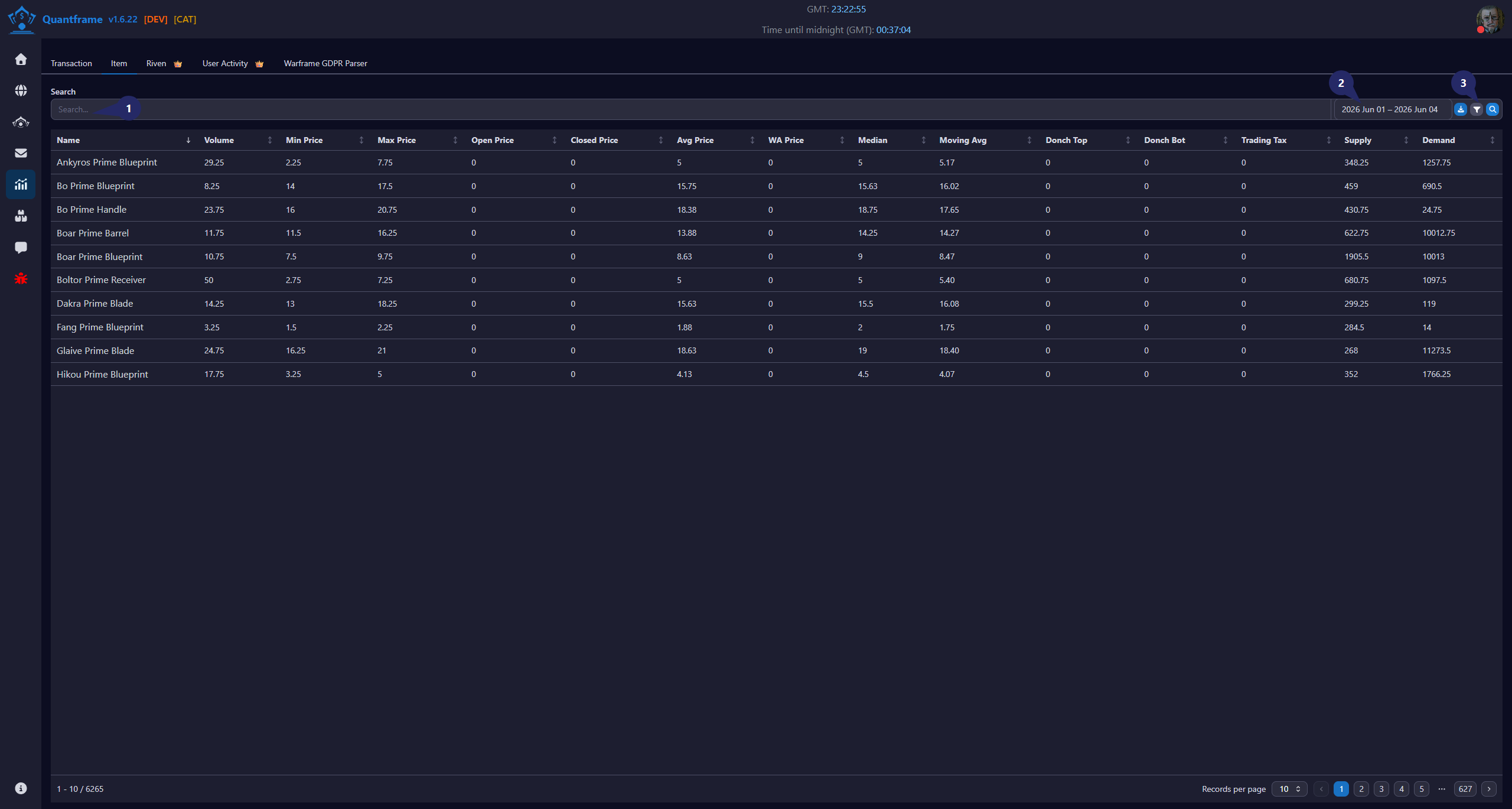
Track the performance of individual items across the market. The Item Analytics page gives you detailed insights into how specific items are performing.
1. Search Transactions
Use the search bar to quickly locate transaction records.
Features
- Search by item name.
- Search by username.
- Instant filtering as you type.
- Works across all transaction types.
2. Date Range Filter
Filter the transaction list based on a specific date range.
Features
- Select start and end dates.
- View transactions within the selected period.
- Works in conjunction with other filters.
3. Search Button's
Additional tools for managing the transaction table.
Actions
| Icon | Function | Description | Requires Patreon |
|---|---|---|---|
| Export | Export transaction data | ||
| Filter | Toggle advanced filter panel |
Workflow
- Use the search bar to locate specific transactions.
- Apply date range filters to narrow down results.
- Utilize the search button actions for exporting, reporting, and managing transactions.