
Trade Messages Riven Dashboard
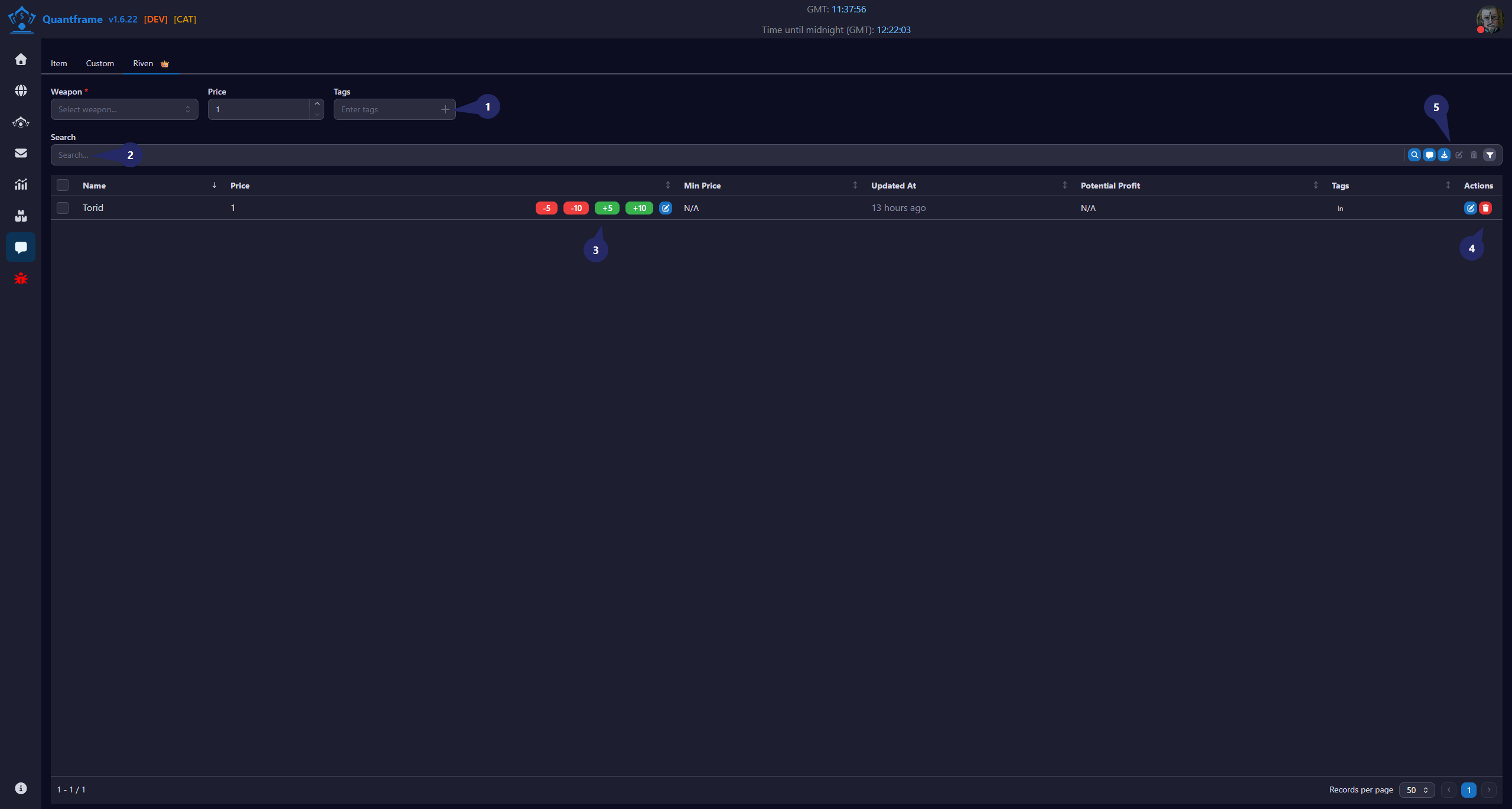
The Riven trade messages view filters your conversations to show only riven-related trades. Manage your riven buy and sell negotiations efficiently with dedicated tools for riven trading.
1. Add New Riven Section
This section is used to add a riven to the stock tracking system.
2. Search
Use this area to quickly find riven to add to the trade message.
Features
- Search by riven name.
3. Price Management Controls
Allows quick adjustment of price for the riven in the trade message.
Actions
- -5: Decrease price by 5
- -10: Decrease price by 10
- +5: Increase price by 5
- +10: Increase price by 10
- Edit Icon: Manually set a custom price
4. Riven Action Controls
Available actions for each riven record.
Actions
| Icon | Function | Description |
|---|---|---|
| Edit riven | Edit the details of the selected riven | |
| Delete riven | Delete the riven from the inventory and the market |
5. Search Button's
Available actions for the riven table.
Actions
| Icon | Function | Description | Requires Patreon |
|---|---|---|---|
| Find Interesting Rivens | Find rivens that match your criteria | ||
| Generate Message | Generate a trade message for selected riven | ||
| Export JSON | Export rivens to JSON | ||
| Edit | Edit the details of the selected riven | ||
| Delete | Delete the riven from the inventory | ||
| Filter | Filter rivens in the table |
Usage
Manage individual stock entries directly from the table without opening additional pages.
Workflow
- Select a riven and enter quantity/purchase data.
- Click the Add (+) button.
- Monitor overall statistics in the dashboard summary.
- Adjust minimum prices using quick pricing controls.
- Manage individual listings using the action buttons.